顯示具有 windows 標籤的文章。 顯示所有文章

2010年5月15日

Windows 刪除檔案出現找不到此項目

Windows 7系統可能在刪除檔案時出現「找不到此項目」之訊息,
並顯示「此項目已不在XXXX位置,請檢查項目位置,然後再試一次」
用unlocker亦無法刪除之,這可能是已知困擾使用者的bug之一。
解決方法有二:
  • 方式一

2009年11月22日

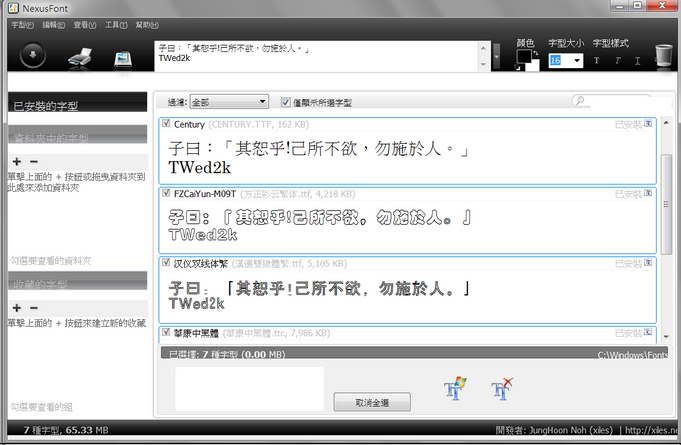
NexusFont 2.0 字型瀏覽工具 自製繁體中文免安裝版


Nexus 一向致力於製作優秀免費工具的軟體,底下有圖片瀏覽工具、檔案總管、純文字編輯等。

NexusFont 2.0則是他們製作的字型瀏覽工具,使用非常簡單。它除了可以預覽已經安裝的字型之外,只要選取字型檔的資料夾,也可以預覽未安裝的字型,預覽時在sample的欄位打上預顯示字段,也可以選擇顏色、粗體、底線、斜體、鋸齒來自定預覽。

2009年11月3日

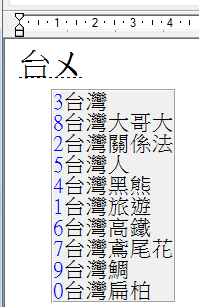
Windows中文輸入法的另一選擇 gcin輸入法

Linux作業系統上最好用的中文輸入法  gcin 可以在windows上用了
 
下載位置
 
簡介:老刀烏白講的推薦


其他免費泛智慧注音輸入法:

2009年10月30日

更換Windows 7登入畫面小工具

Windows 7 Logon Background Changer

    * 軟體名稱:Windows 7 Logon Background Changer
    * 軟體版本:1.3.4
    * 檔案大小:1.48MB
    * 系統支援:Windows 7
    * 作者網站:http://blog.joytown.tw/2009/09/07/545


要變更Win 7登入畫面的背景圖片必須修改登入檔、新增背景圖片目錄,相當繁瑣。今天為大家推薦一款傻瓜化的登入介面修改工具,已在RC和RTM上測試通過。該程式會 建立適合螢幕的新JPG圖片當作登入圖片片,除此之外該程式不修改任何系統檔,而且不需要管理員權限就能執行。今天放出的最新版本1.3.2增加了阻止自 己以外的其他使用者修改登入圖片的功能。

這款款使用WPF技術製作的軟體,界面很華麗,如果想要出現華麗的效果需要一張不算太差的顯示卡支援,一般能跑Aero的就OK了。

      * 下載點:Windows 7 Logon Background Changer


2009年10月29日

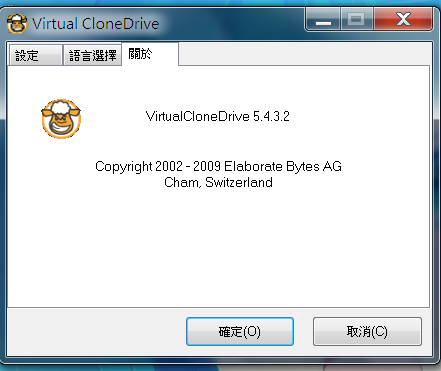
windows 7 可用的免費虛擬光碟軟體 Virtual CloneDrive


    * 軟體名稱:Virtual CloneDrive
    * 軟體版本:5.4.3.2
    * 檔案大小:1.48MB
    * 系統支援:Windows 98/2000/XP/Vista/Windows 7
    * 官方網站:http://www.elby.de/


官網下載

繁體中文語系檔案見
放入 Program Files\Elaborate Bytes\VirtualCloneDrive\Text資料夾內

2009年10月28日

VISTA與Window7 啟動 剩餘日期查詢

slmgr.vbs -ato 快速取動
slmgr.vbs -xpr 目前授權狀態到期日
slmgr.vbs -dlv 授權狀態詳細
slmgr.vbs -sri 自動授權更新時間
slmgr.vbs -sai 嘗試kms連線時間

2009年10月24日

趨勢科技提供免費垃圾郵件防護軟體 -Trend Micro Anti-Spam 3.5 Pilot

Key Features:
Trend Micro Anti-Spam is designed to:
    * Block spam using advanced heuristics technology
    * Separate suspicious messages in spam quarantine folder
    * Enable you to create approved and blocked sender lists
    * Integrate with Outlook; adds anti-spam functions to the toolbar
    * Deliver on-demand or automatic updates
System Requirements:
Trend Micro Anti-Spam requires the following on the machines where they are installed:
    * Pentium III™ 500MHz or faster processor
    * 128MB of RAM
    * 50MB disk space for program files
    * Microsoft Windows™ 98, ME, 2000, XP, or 2003, with the latest Service Pack
    * Microsoft Outlook 2000, 2002, or 2003
    * Microsoft Outlook Express 6 with Service Pack 2
(Trend Micro Anti-Spam for Outlook Express does not support Microsoft Windows 98 and Microsoft Windows ME editions)

For Outlook Express 版本:
直接下載
http://www.trendmicro.com/ftp/products/antispam/tmas35-oe.exe


For MicroSoft Outlook 版本:
直接下載
http://www.trendmicro.com/ftp/products/antispam/tmas35-ol.exe
2009年10月21日

Kaspersky、Panda 防毒軟體免費一年

慶祝 Win7 上市,10/22開放申請

Kaspersky Internet Security 2010 Free 1 year License

http://usa.kaspersky.com/shakeitup/


Panda Internet Security 2010 Free 1 year License

http://us.pandasecurity.com/w7launch/

2009年9月30日

[教學] 清除Vista無用的自訂通知紀錄

在Vista的桌面點選右下角內的自定通知
裡面有一些之前安裝後來栘除了還遺留的程式圖示,
甚至開啟過的資料夾。如圖:
59406441.jpg

文章存檔